Follow the evidence
Explore entity changes, service requests, automation triggers and available context links. Supported Pixora apps also report the origin of their commands.

 Pixora Insight
See what changed, what requested it, and the evidence that connects the two—all on your Home Assistant hub.
Local recording · no Pixora account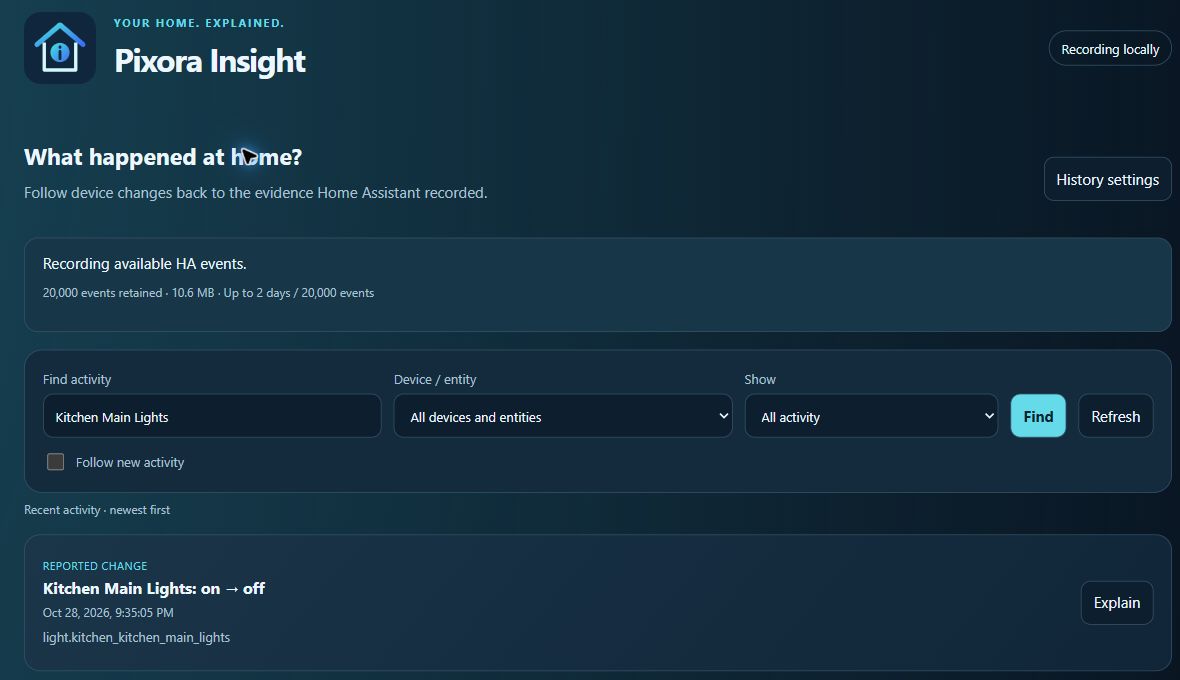
Explore entity changes, service requests, automation triggers and available context links. Supported Pixora apps also report the origin of their commands.
Exclude entities, whole devices, app displays or matching entity names. Restore an exclusion when you want to record it again.
Recording continues with the page closed. Bounded retention keeps the history manageable, and the app never sends device commands.
Install Insight, start it and open its Web UI. Confirm Recording locally, then search for a device and select Explain on a recorded event.
For Home Assistant installations with app support, such as Home Assistant OS. Add the repository once, then install only the apps you need.
Open the app repository ↗https://github.com/bptworld/PixoraHQforHA.